Duty properties
You can find these properties when creating (or editing) a duty in a schedule.
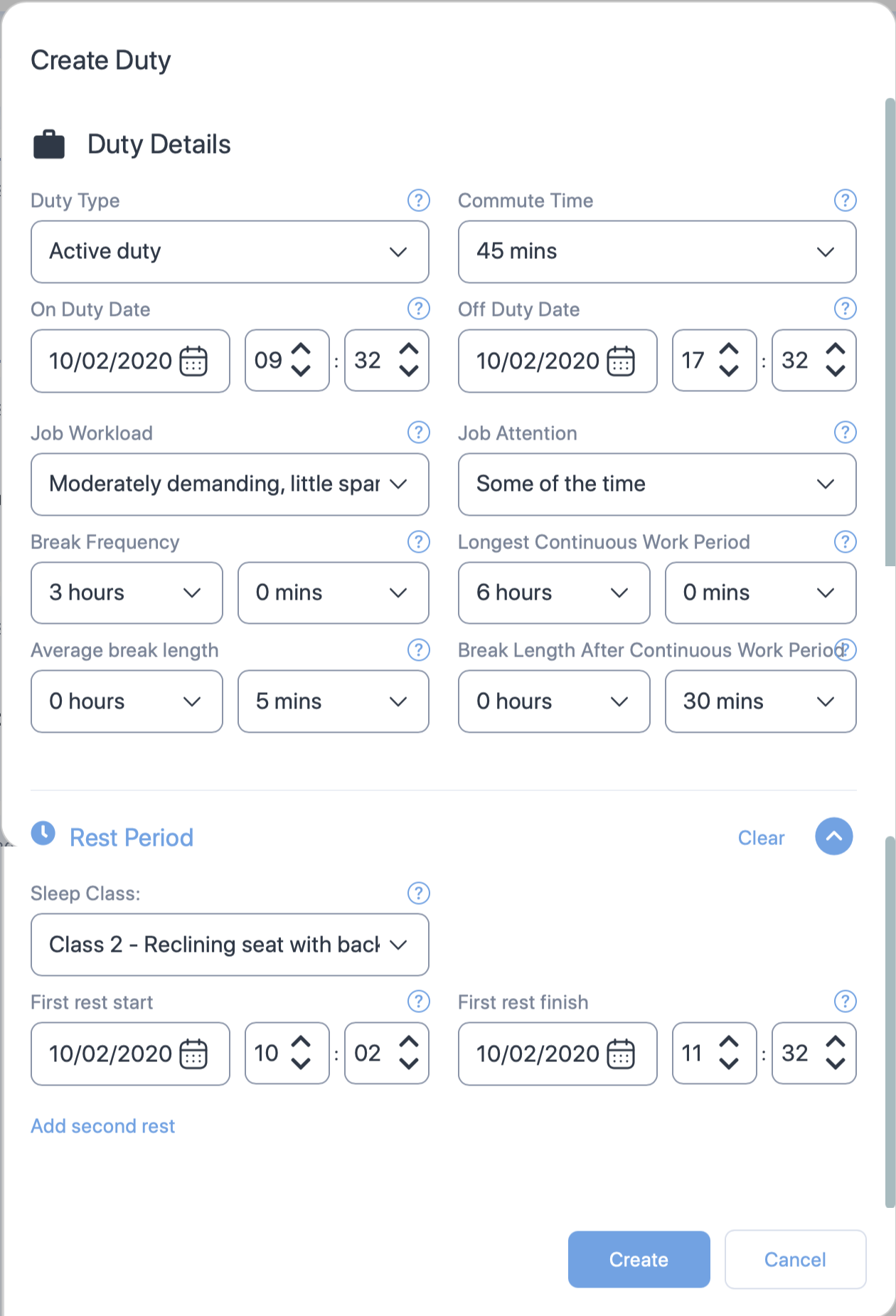
Cabin crew properties
Some of the properties shown below are exclusive to Active duty i.e., the Create Duty form will not show some of the following properties for "On call" duty. Such properties will have the () symbol next to the property name.
| Section | Property (* required) |
Description |
|---|---|---|
| General | Duty type* | Choose the type of duty from the dropdown. |
| Commute Time | Select the time taken to commute to the duty. Default value is 1 hour. | |
| On duty date and time* | The duty start date. Use the date time controls to set the date and time. | |
| Off duty date and time* | The duty end date. Use the date time controls to set the date and time. | |
| Job Workload | Select one of the following job workload types for the staff.
See Job Workload to learn more. |
|
| Job Attention | Select one of the following job attention types for the staff.
See Job Attention to learn more. |
|
| Break Frequency Hours and Minutes* | The frequency of the rest/break provided to or taken by the staff. Set how often staff take breaks using the dropdown controls for hours and minutes. You can adjust the frequency in 15-minute intervals. | |
| Longest Continuous Work Period* | The longest period the staff worked before taking a break. Set the longest continuous time the staff worked using the dropdown controls for hours and minutes. You can adjust this period in 15-minute intervals. | |
| Average Break Length* | The average length of typical breaks provided to or taken by staff. Set the average break duration for the staff using the dropdown controls for hours and minutes. You can adjust the length in 5-minute intervals. | |
| Break Length after Continuous Work Period* | The average length of typical breaks provided to or taken by staff after the longest continuous work period. Set this length using the dropdown controls for hours and minutes. You can adjust the frequency in 5-minute intervals. | |
| Rest Period () | Sleep Class | The class where the cabin crew slept. Select:
|
| First Rest Start | The date and time the staff started their first rest. Set the rest period for the staff using the dropdown controls for date and time. See Rest Period for more information on rest period. | |
| First Rest Finish | The date and time the staff ended their first rest. Set the rest period for the staff using the dropdown controls for date and time. See Rest Period for more information on rest period. | |
| Add second rest | Click on this link if you want to add second rest date and times. A click on this link will produce additional properties for second rest. These properties and their selections are very similar to the first rest. See above for details. |